Features Collaboration
Immigenta · CollaborationAttorney's “My cases”
Every client. What each case is waiting on. What needs you.

Try it.
Filter Dana's cases, open Priya's, and approve and lock it. An example: nothing is filed.
Filter, open a case, then approve and lock it. (An example: nothing is filed.)
- Must fix · 0
Nothing blocking.
Attorney review · 2Do the job duties read as a specialty role?
Accept the degree evaluation?
Attorney-only questions answered

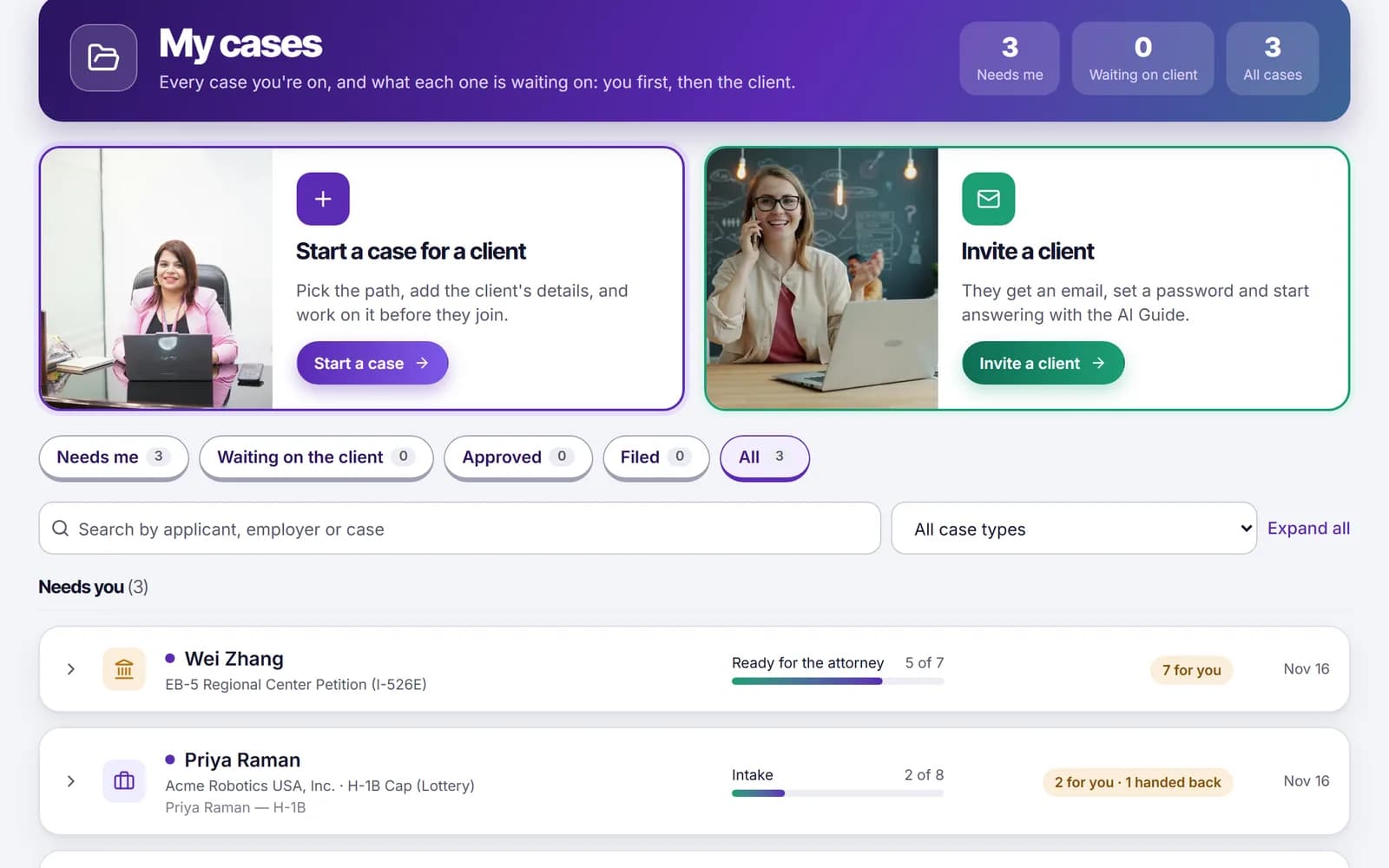
Every client case in one view, and what each needs.
My cases shows every client case in one view, filtered by Needs me, Waiting on the client, Approved and Filed.
Each case shows how ready it is and what it's waiting on, so the attorney knows where to start.
Open a case to see its must-fix items apart from its attorney review items, answer attorney-only questions, and approve and lock the package or reopen it.
Three steps.
- See every caseOne list across all your clients.
- Filter what needs youNeeds me, Waiting on the client, Approved, Filed.
- Open and decideReview, approve and lock, or reopen.
Key points
Prepared by you. Guided and approved by your attorney.
Start your case and invite your attorney, or sign in to your firm's cases.