Features Checks & reports
Immigenta · Checks & reportsCase dashboard
See how ready the case is, and pick up where you left off.
Try it.
Move the case through its four steps and watch % ready, the status and the tracker follow.
Move the slider to simulate progress. Hover a tile for what it means.
- Answer questions
- Upload documents
- Attorney review
- Attorney files
Pick up where you left off: Evidence · pay stubs

% ready, the next step and what changed.
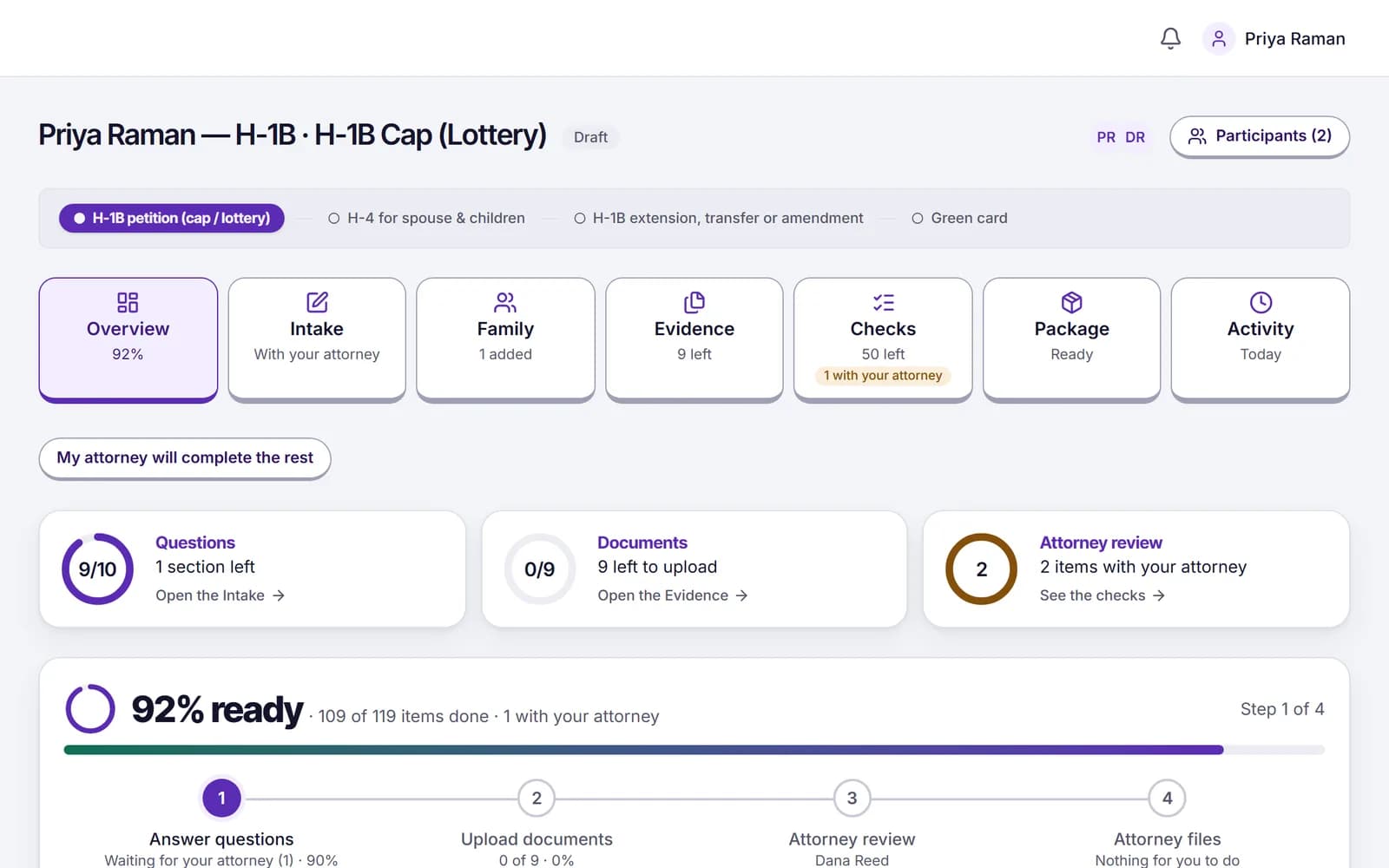
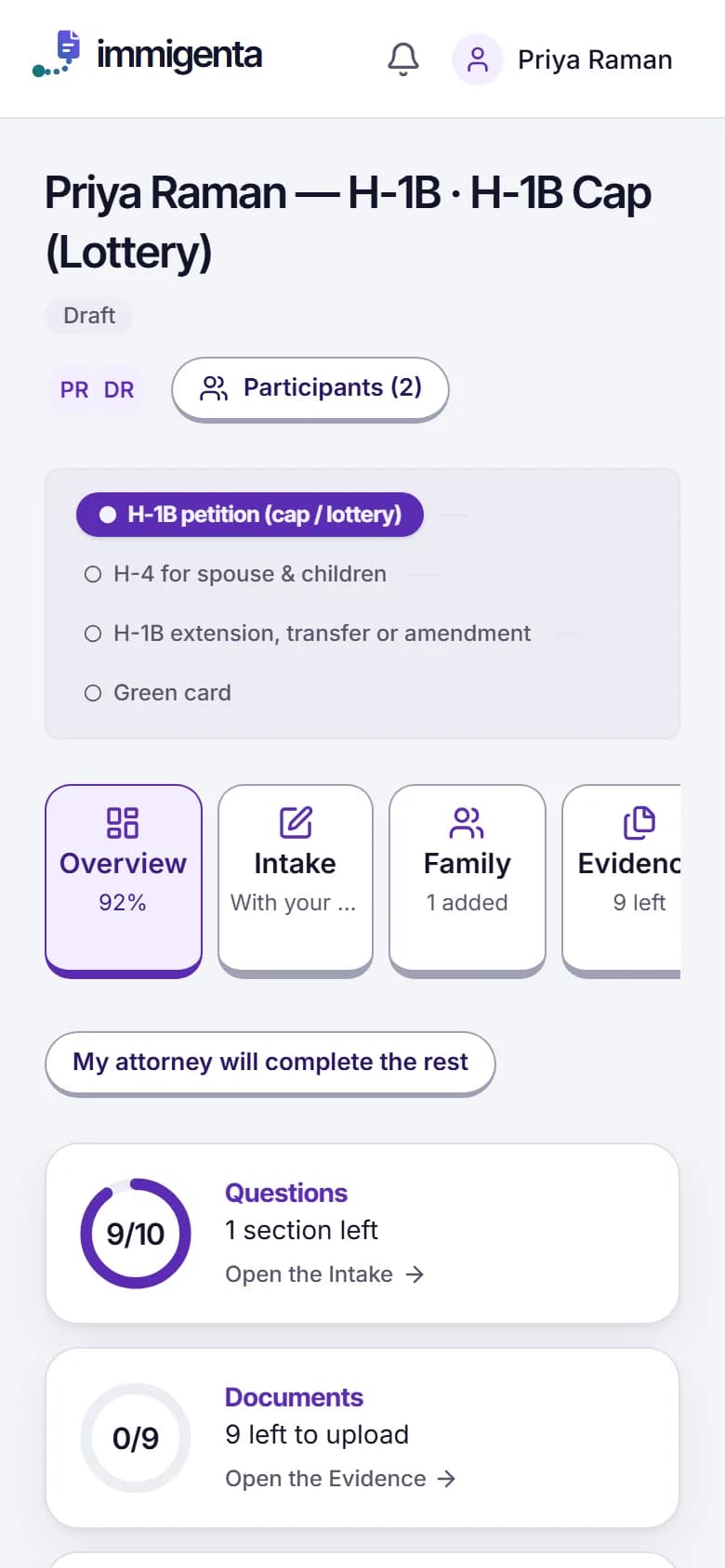
The case dashboard shows how ready the case is as a percentage, with a 4-step tracker: answer questions, upload documents, attorney review, attorney files.
Donut cards show questions, evidence and checks at a glance. Seven tabs hold the rest of the case: Overview, Intake, Family, Evidence, Checks, Package and Activity.
“While you were away” shows what changed, Activity keeps the full trail, and “Pick up where you left off” takes you straight back.
Three steps.
- Open the caseSee % ready and where the case is on the tracker.
- See what changed“While you were away” and Activity.
- Pick upJump back to where you left off.
The same case, on every screen.
% ready, the 4-step tracker and what changed, on a laptop or a phone.
One number for the whole case: questions, documents and checks.
Answer questions, upload documents, attorney review, attorney files.
What changed since you last looked, with the full trail in Activity.
Key points
Prepared by you. Guided and approved by your attorney.
Start your case and invite your attorney, or sign in to your firm's cases.